Live web widgets for Windows
Use real interactive web pages, not static screenshots. Widgets can stay clickable in edit mode or remain interactive after the layout is locked.
 Desktop Web Widget
Windows spatial workspace
Desktop Web Widget
Windows spatial workspace
Download Desktop Web Widget for Windows, start with a 3-day Free Pro Trial, then keep Free Starter or unlock Pro Lifetime for the launch price of €4.99. No subscription. No browser-tab chaos.
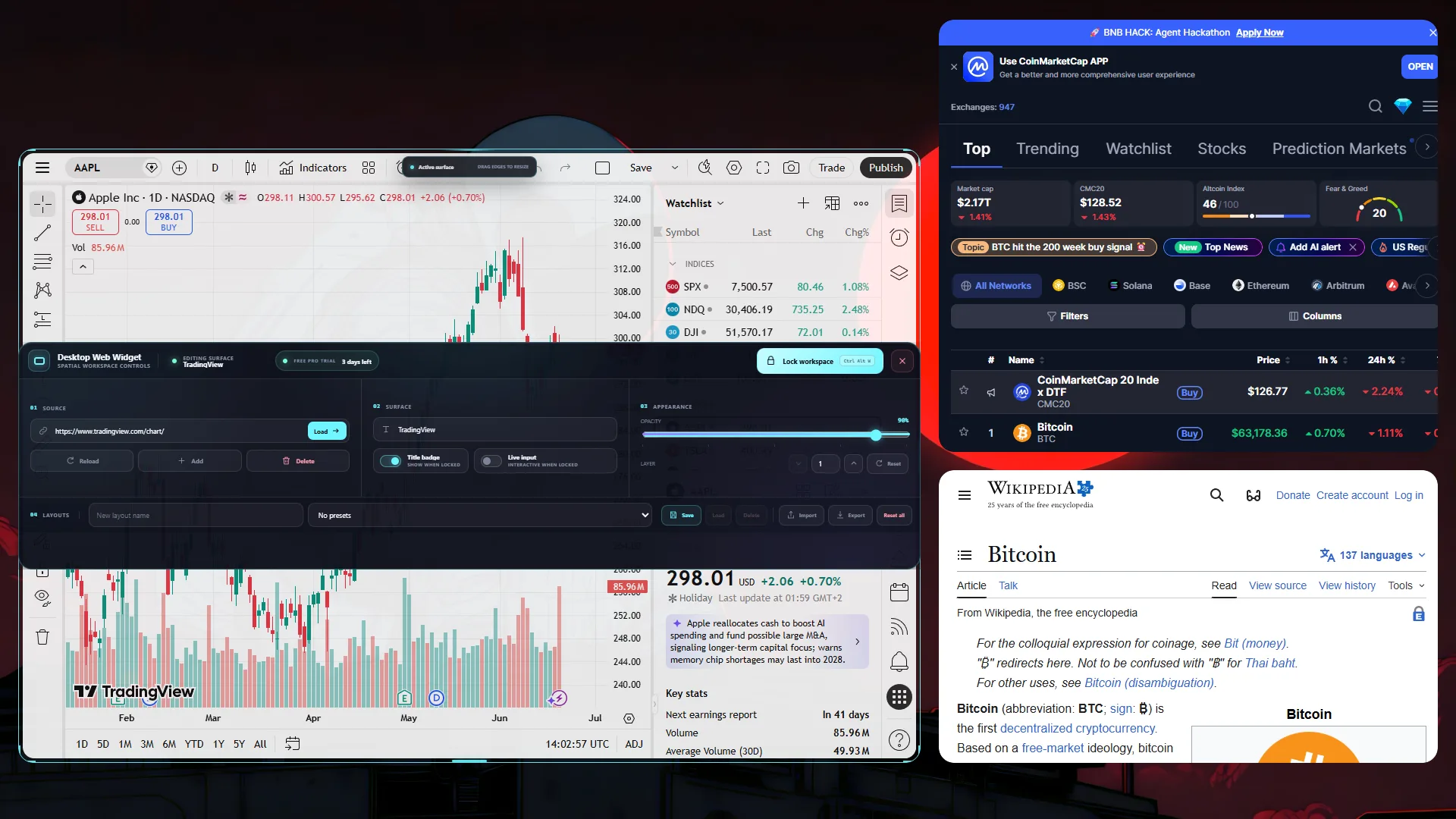
Desktop Web Widget turns the pages you keep checking into a clean, always-visible Windows workspace. Crypto charts, monitoring dashboards, documentation, notes, videos, internal tools, and personal web apps can sit directly on your desktop as live widgets.
The app is launching with a simple promise: try all Pro features for 3 days, keep using Free Starter forever with clear limits, or buy Pro Lifetime once while the launch discount is active.
Desktop Web Widget turns ordinary websites into live Windows desktop widgets. Instead of leaving market dashboards, server status pages, documentation, notes, media players, and web apps buried in browser tabs, you can pin them directly on your desktop and keep them visible while you work.
The app is designed for people who need a personal desktop dashboard without building a custom dashboard from scratch. Add a URL, resize the widget, choose its opacity, arrange layers, save the layout, and lock everything into a calm always-visible workspace.
Use real interactive web pages, not static screenshots. Widgets can stay clickable in edit mode or remain interactive after the layout is locked.
Create layouts for crypto prices, stock dashboards, monitoring tools, documentation, planning boards, video embeds, and personal web workflows.
Desktop Web Widget ships as a normal Windows app. You do not need Node.js, Electron knowledge, browser extensions, or command-line setup.
Every control exists to help you build a calmer information layer around the work already on your screen.
Free gives you basic placement. Pro adds monitor-wide guide lines for screen edges, center lines, and neighboring widgets.
Browse, click, watch, monitor, and interact with live pages directly from your desktop.
Tune opacity and layer order so widgets support your work instead of competing with it.
Save, load, import, and export complete layouts for different projects, moods, or monitor setups.
Hide every control while keeping the content interactive.
Build the exact desktop layer your work needs today, then swap it for another in seconds.
Keep BTC, ETH, exchange pages, and market charts visible without opening a browser window.
The interface appears when you need control and disappears the moment your composition is ready.
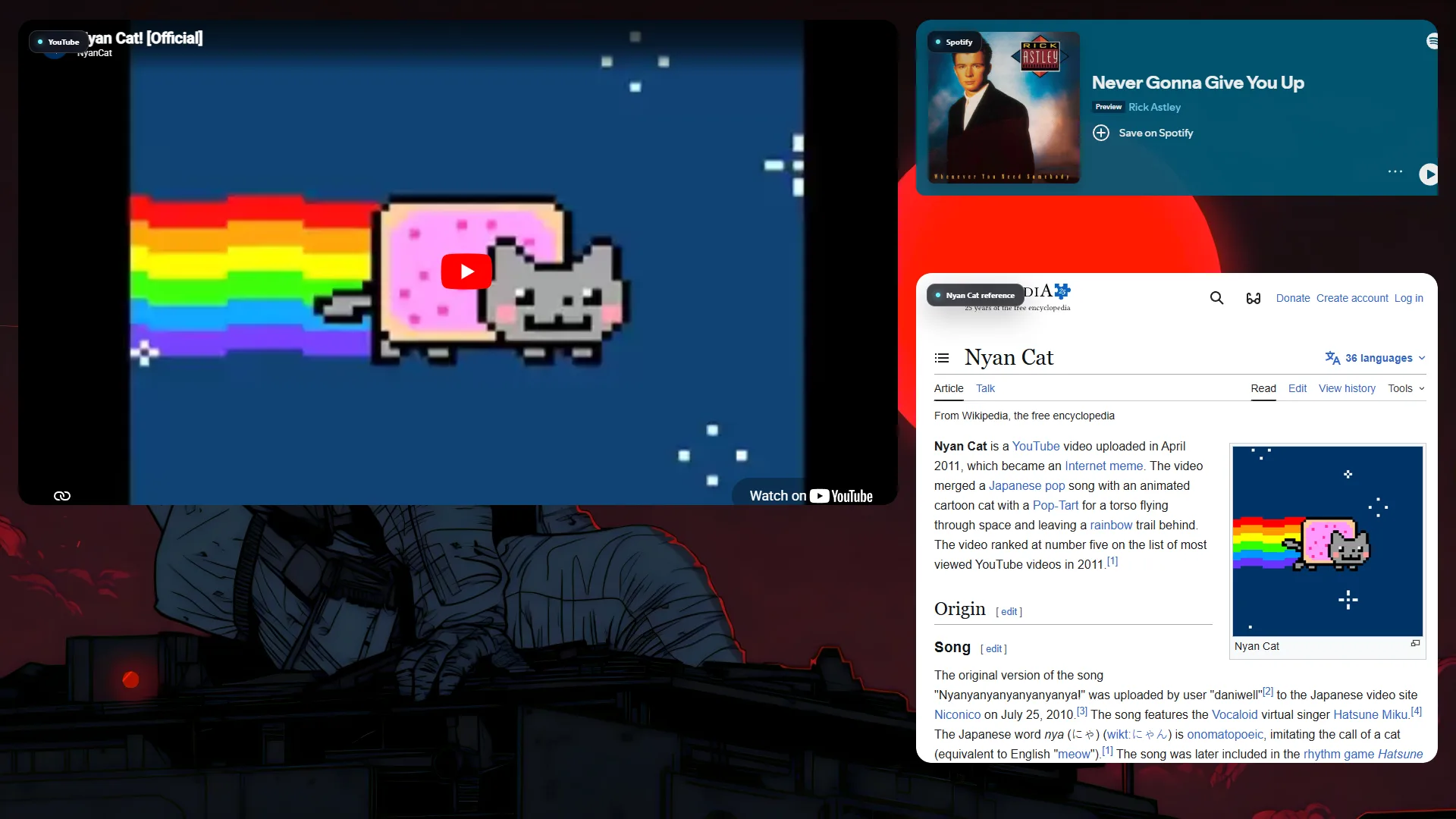
No Node.js. No terminal. No configuration maze. Install it like a normal Windows app and shape your first workspace in minutes.
Download the public Windows build with a 3-day Free Pro Trial, automatic Free Starter fallback, and a one-time Pro Lifetime upgrade path.
Run the standard Windows installer or unpack the ZIP build. The engine is ready immediately.
Enter any supported web address and a live desktop surface appears.
Move, resize, layer, tune, save the layout, and lock it into place.
Use the installer for the smoothest setup, keep the portable build as a quick fallback, or open the PDF manual before installing. The public app starts with the 3-day Free Pro Trial and automatically falls back to Free Starter after the trial.
The first launch starts 3 days of full Pro access. After that, Free Starter keeps the core app usable, while Pro Lifetime unlocks the complete desktop workspace with one payment.
Download once, get full Pro for 3 days, then keep Free Starter automatically.
Reinstalling does not restart the trial on the same Windows profile.
€9.99 after 19 Jul 2026 Everything in the trial, unlocked permanently without a subscription.

Everything important about compatibility, interaction, licensing, and support.
No. The download includes a normal Windows installer, a portable build, and a PDF manual. You do not need Node.js, npm, Electron, or programming knowledge.
The app uses isolated browser views, so normal websites can load even when they reject iframe embedding. DRM services, enterprise policies, extension-dependent pages, or sites that reject desktop app browsers may still be unavailable.
Yes. Widgets are clickable in edit mode. You can also choose whether each widget remains interactive after locking the layout.
No. Desktop Web Widget Pro is a one-time lifetime purchase. Free Starter remains available with limits, the first launch on a Windows profile starts a 3-day Free Pro Trial, and the launch Pro Lifetime price is €4.99 until 19 Jul 2026. After that it becomes €9.99. QR payment is also €4.99.
The app switches to Free Starter: 2 active widgets, 1 saved layout, a small watermark, basic placement, and no Pro-only opacity/layer controls, import/export, or visual snap guide lines. Extra widgets and layouts are kept safely and reactivate after Pro unlock.
Email support is available through the contact address on the support page.
A Microsoft Store release is planned. The direct purchase options are available now.
Build a living desktop workspace from the pages you already use every day.
Download Desktop Web Widget